

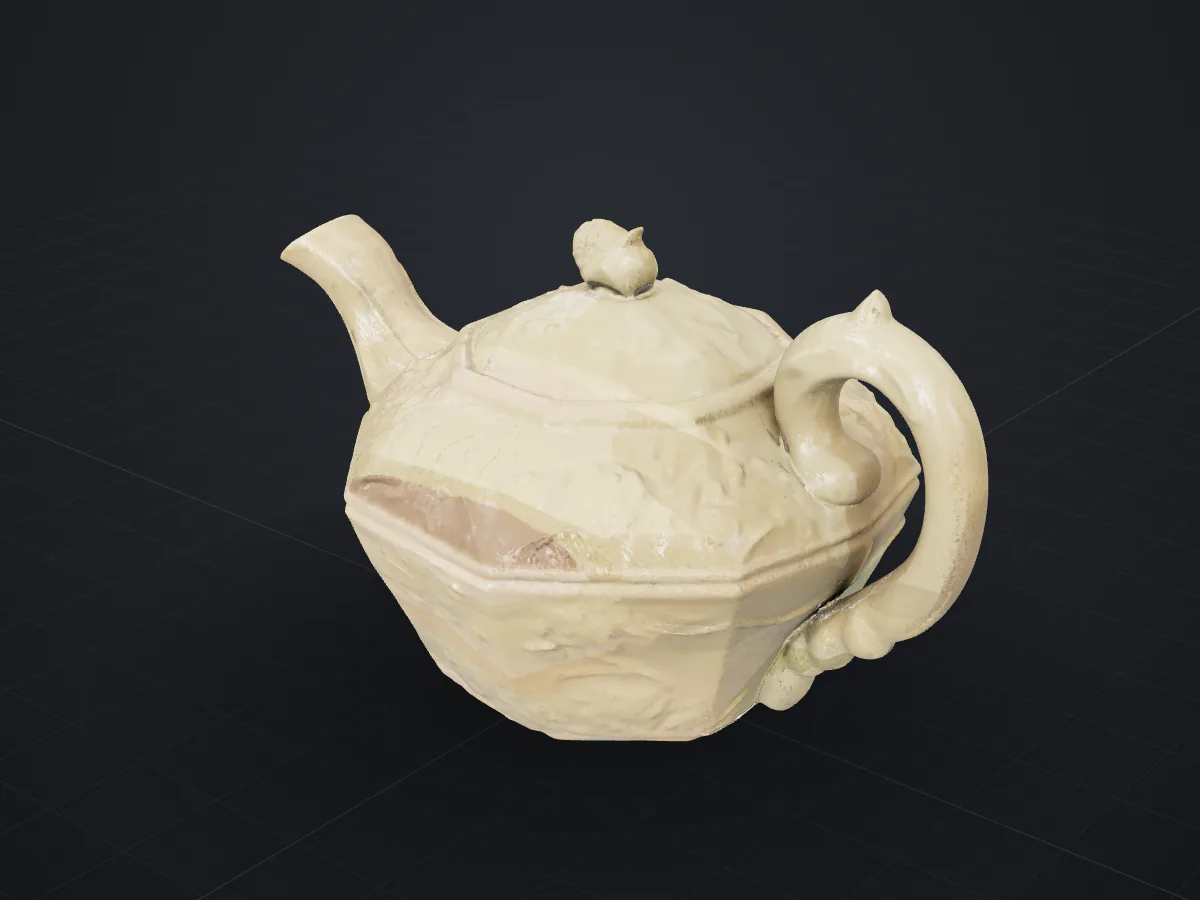
ceramic teapot
Standard · 55 s · 199,872 faces
Turn any photo into a textured 3D model with AI in about a minute. 3 free 3D models a day — no sign-up. Sign in with Google for 60 free credits (Standard quality & Text to 3D) and keep your models for 30 days.
One image per model. Best with a single object on a plain background.
Times are estimates. Server load may add a short wait.
Auto picks the best count for your tier. Lower counts suit 3D printing and mobile.
Keyboard: 1 to 5 switch render mode, R resets the view, F toggles fullscreen, W toggles wireframe.
Anonymous models are kept for 7 days. Sign in to keep them for 30.
3 free 3D models a day, no sign-up (Fast quality). Sign in with Google for 60 free credits (Standard quality & Text to 3D) and keep your models for 30 days. Failed jobs are refunded automatically. You can close the tab; your job keeps running.
ImageTo3DGenerator (imageto3dgenerator.net) is a free image to 3D generator that works without sign-up: upload a photo and get a PBR-textured GLB 3D model in about a minute, with 3 free Fast models a day for everyone, no sign-up needed, and 60 free credits at sign-up for signed-in users.
It is built on the open-source TRELLIS.2 model and runs on our own GPUs. ImageTo3DGenerator is an independent service and is not affiliated with or endorsed by Microsoft.
| Price | Free to start. Paid plans and credit packs are coming soon. |
|---|---|
| Account needed? | No. You can make 3 free Fast models a day (Image to 3D) with no account and no credit card. The count resets at 00:00 UTC and is shared per device and per network. |
| Free credits when you sign in | 60 credits once at sign-up, valid for 30 days. There are no daily credit gifts; the 3 free Fast models a day apply to signed-in users too. |
| Cost per model | Fast 10 credits, Standard 20, High 60 (paid plans only), Text to 3D 30 |
| Input | One JPG, PNG or WEBP up to 10 MB, or a text prompt (Text to 3D needs a free sign-in) |
| Speed | Fast about 30 seconds, Standard about 1 to 1.5 minutes, High 2 to 6 minutes, Text to 3D about 3 minutes |
| Detail | Fast about 50,000 faces and 1K textures; Standard about 200,000 faces and 2K textures; High about 500,000 faces and 4K textures |
| Free download | GLB with PBR textures |
| Paid downloads | OBJ, STL, 3MF, PLY, FBX, USDZ, BLEND |
| License | Free tier: CC BY 4.0 (credit ImageTo3DGenerator). Paid plans: full commercial license. |
| Storage | Anonymous models are kept for 7 days; sign in and they move to your account and are kept for 30 days |
| If a job fails | Credits are refunded automatically |
| Model | TRELLIS.2 (open source), self-hosted |
| Not supported yet | Multi-photo input, rigging and animation, quad topology |
Last updated:
Every model below was made from a single photo on ImageTo3DGenerator. No retouching, no hand cleanup. Open any of them in the viewer to rotate it and switch between textured, clay and wireframe views.
Standard · 55 s · 199,872 faces
Standard · 70 s · 199,818 faces
Standard · 74 s · 199,876 faces
Fast · 42 s · 50,000 faces
Standard · 55 s · 199,872 faces
High · 112 s · 499,430 faces
High is available on paid plans only.
Turning an image into a 3D model with ImageTo3DGenerator takes three steps and about a minute. You do not need an account: you can make 3 free models a day.
Drag in, paste with Ctrl+V or click to upload a JPG, PNG or WEBP up to 10 MB. No account is needed. A clear photo of one object on a plain background works best.
Choose Fast (about 30 seconds) or, after you sign in, Standard (about 1 to 1.5 minutes, 20 credits) and click Generate. You see your place in the queue and live progress. You can close the tab; the job keeps running.
Rotate the model in your browser, check the wireframe and size, then download the GLB with PBR textures for free. Other formats such as STL and OBJ are available on paid plans.
The best input is one clear photo of a single object, lit evenly, on a plain background. The AI infers the back and sides it cannot see, so the more of the object the photo shows, the better the model.
One photo shows one side of an object, so the back and sides are AI estimates. Treat the result as a strong first draft. Set the real size in your slicer or 3D software. Meshes made for 3D printing may need repair before you print.
ImageTo3DGenerator is an AI 3D model generator that gives you a finished file, not a preview. These are the features that matter, with the numbers behind them.
Free models come with PBR materials, not a bare grey mesh. Download the GLB and open it in Blender, Unity or Unreal with colour and surface detail intact.
Fast takes about 30 seconds for roughly 50,000 faces. Standard takes about 1 to 1.5 minutes for roughly 200,000 faces and 2K textures. High, for paid plans, gives roughly 500,000 faces and 4K textures.
See your queue position, six stages and a percentage while your model is made. When the queue is long, we say so before you submit.
If a generation fails, your credits come back automatically and we tell you. If a job times out, we retry it once on Fast and refund the difference.
Your job runs on our servers. Come back later on the same browser (models made without an account are kept for 7 days), or sign in to keep them in your history for 30 days.
Switch between textured, clay, albedo, normal and wireframe views, and check face count and size in mm or inches before you download.
Built on the open-source TRELLIS.2 model, run on our own servers.
GLB is free and keeps your PBR textures. Seven other formats, including STL for 3D printing and FBX for game engines, come with any paid plan or credit pack.
| Format | Free? | What it keeps | Best for |
|---|---|---|---|
| GLB | Free | Geometry and full PBR textures | Web, Blender, Unity, Unreal, AR viewers |
| OBJ | Paid | Geometry only | Opens in almost any 3D software |
| STL | Paid | Geometry only, no colour | 3D printing |
| 3MF | Paid | Geometry only | Print-ready files for modern slicers |
| PLY | Paid | Geometry only | Scanning and research tools |
| FBX | Paid | Mesh and most materials; metallic and roughness maps are not included | Game engines and animation tools |
| USDZ | Paid | Most materials | Apple AR Quick Look |
| BLEND | Paid | Full materials | Blender |
Paid plans are coming soon. Pro and Studio will also include a print-ready pack: a watertight STL and a 3MF scaled in millimetres.
Turn a photo into a figurine, keychain or prototype. Export STL or 3MF, then check scale, watertightness and wall thickness in your slicer, such as Cura, PrusaSlicer, Bambu Studio or OrcaSlicer.
Image to STL →Import the GLB with File, Import, glTF 2.0. The PBR textures arrive as a Principled BSDF material, ready to render or retopologize.
Use Fast for background props and Standard for hero assets. GLB is a standard format that game engines read through their glTF importers.
Put a GLB product model on a web page with a viewer such as model-viewer, or export USDZ for Apple AR Quick Look. USDZ is a paid format.
No photo? Describe an object in one sentence and ImageTo3DGenerator builds a textured 3D model from it in about 3 minutes. Text to 3D costs 30 credits, so your 60 sign-up credits cover 2 models. Text to 3D needs a free Google sign-in.
You can make 3 free Fast models a day without an account. Sign in with Google and you get 60 credits once, valid for 30 days: that is 3 Standard models or 6 Fast ones. Your 3 free Fast models a day still apply after sign-in, and there are no daily credit gifts. Nothing here is unlimited.
| Free | |
|---|---|
| Price | $0 |
| Credits | 60 once at sign-up |
| About how many Standard models | 3 (one-time) |
| Export formats | GLB |
| High quality tier | No |
Paid plans and credit packs are coming soon.
Free allowances change often, and AI summaries of them disagree with each other. We do not quote numbers for other tools that we have not verified: each vendor cell links to its own pricing page. If you spot an outdated number, tell us and we will fix it.
| ImageTo3DGenerator | Meshy | Tripo | Hunyuan3D | TRELLIS.2 on your own GPU | |
|---|---|---|---|---|---|
| Works without an account | Yes, 3 Fast models a day | See their pricing page | See their pricing page | See their pricing page | See their pricing page |
| Free allowance | 3 free Fast a day without an account; 60 credits once after sign-in | See their pricing page | See their pricing page | See their pricing page | See their pricing page |
| Free output has textures | Yes, PBR | See their pricing page | See their pricing page | See their pricing page | See their pricing page |
| Free export formats | GLB | See their pricing page | See their pricing page | See their pricing page | See their pricing page |
| Typical speed | Fast about 30 s, Standard about 1 to 1.5 min | See their pricing page | See their pricing page | See their pricing page | See their pricing page |
Pick Meshy or Tripo if you want the biggest paid feature sets. Pick Hunyuan3D or a local TRELLIS.2 setup if you have a GPU and want full control. Pick ImageTo3DGenerator if you want a textured GLB right now, with no account. Product names belong to their owners; we are not affiliated with them.
Models are kept for 7 days without an account and for 30 days after you sign in. You can delete any model from your history. ImageTo3DGenerator uses the open-source TRELLIS.2 model on our own servers, and every limit on this page is the limit we enforce.
Upload a JPG, PNG or WEBP (up to 10 MB), choose Fast (about 30 seconds) or, after you sign in, Standard (about 1 to 1.5 minutes), and click Generate. You can make 3 free Fast models a day without an account, and each result downloads for free as a GLB file with PBR textures.
Works in any modern browser, including on a phone.
No. You can generate 3 free Fast models a day without an account or credit card. Signing in adds 60 free credits, valid for 30 days, which unlock Standard quality and Text to 3D. Signing in also keeps your models for 30 days instead of 7. The High quality tier and paid export formats need a paid plan.
Yes, and we state it up front. Everyone gets 3 free Fast models a day with no sign-up needed, reset at 00:00 UTC. Signing in adds 60 credits once at sign-up, enough for 3 Standard models (20 credits each) or 6 Fast models (10 credits each). Nothing here is unlimited.
The anonymous allowance is counted per device and per network, so people on the same Wi-Fi share it. Free accounts run one job at a time.
Yes, in most cases. ImageTo3DGenerator takes one photo and builds a full 3D mesh with colour and PBR materials, not a flat picture with a 3D look. The back and sides are inferred by AI, so results are best from a single clear subject. Typical time is 30 seconds to 1.5 minutes.
If you are looking for a tool that draws 3D-style pictures, that is a different kind of generator. ImageTo3DGenerator makes 3D model files.
Not yet. ImageTo3DGenerator builds each model from one image, so there is no multi-view or multi-photo mode today. For the best result, pick the single photo that shows the most of the object, ideally from a slightly raised three-quarter angle with even lighting.
Results vary. Stylised characters, mascots and figurines usually work; realistic faces and portraits are a weak spot because small facial details can come out soft or distorted. Use a clean, front-facing image on a plain background, and try the Fast tier first (10 credits) before spending more.
Yes. Switch to the Text tab, describe the object in a sentence, and Text to 3D generates a textured model. It takes about 3 minutes and costs 30 credits, because it first draws a reference image and then builds the 3D model from it. The output is the same GLB format. Text to 3D needs a free sign-in.
Yes. Export the model as STL or 3MF and open it in a slicer such as Cura, PrusaSlicer, Bambu Studio or OrcaSlicer. STL and 3MF are paid exports. AI meshes can need repair, so check scale, watertightness and wall thickness in your slicer before you print.
No. A printer runs sliced instructions, usually G-code, and STL is just the model file you load into a slicer. STL is the most widely supported choice, and most slicers also read 3MF and OBJ. ImageTo3DGenerator offers STL, 3MF and OBJ as paid exports.
Generate a model, then export it as STL, which is a paid format. STL stores geometry only, with no colour or textures. Load the file into your slicer, check that it is watertight, and set the scale. Flat relief or lithophane tools are a different method that makes a height map, not a full 3D object.
Judge any image to STL site on what it states and does. ImageTo3DGenerator is built on the open-source TRELLIS.2 model, publishes every limit on this page, refunds credits automatically when a job fails, and keeps your models for 30 days after you sign in. Do not upload private or confidential images to any online tool.
GLB is free and keeps PBR textures. Seven more formats are paid: OBJ, STL, 3MF, PLY, FBX, USDZ and BLEND. OBJ, STL, 3MF and PLY keep geometry only, FBX drops metallic and roughness maps, USDZ keeps most materials, and BLEND keeps full materials.
Free-tier models are released under CC BY 4.0, which allows commercial use as long as you credit ImageTo3DGenerator. Any paid plan or credit pack includes a full commercial license with no attribution. You must also have the right to use the image you upload.
We do not use your uploads to train AI models. Models are kept for 7 days without an account and for 30 days after you sign in, and you can delete them at any time. Only upload images you have the right to use, and avoid private or sensitive photos.
You are not charged. If a generation fails, credits are refunded automatically, and the page tells you so. If the job times out, we retry it once on the Fast tier and refund the difference. You can also close the tab: your job keeps running and the result is saved to your history.
Without an account, your models stay available on the same browser for 7 days. Sign in with Google and they move to your account.
It depends on what you need. Meshy and Tripo offer the broadest paid feature sets, Hunyuan3D and TRELLIS.2 are open models you can run yourself, and ImageTo3DGenerator focuses on free use with no account and a PBR-textured GLB. The comparison table above links each vendor's own pricing page.
Upload a photo and get a textured 3D model in about a minute. 3 free Fast models a day with no account. Sign in with Google for 60 free credits (Standard quality & Text to 3D) and keep your models for 30 days.
ImageTo3DGenerator is an independent service built on the open-source TRELLIS.2 model. It is not affiliated with or endorsed by Microsoft, Meshy, Tripo or Tencent.